To display the QR code on the Sales Invoice, you can enable it through the print customization settings:
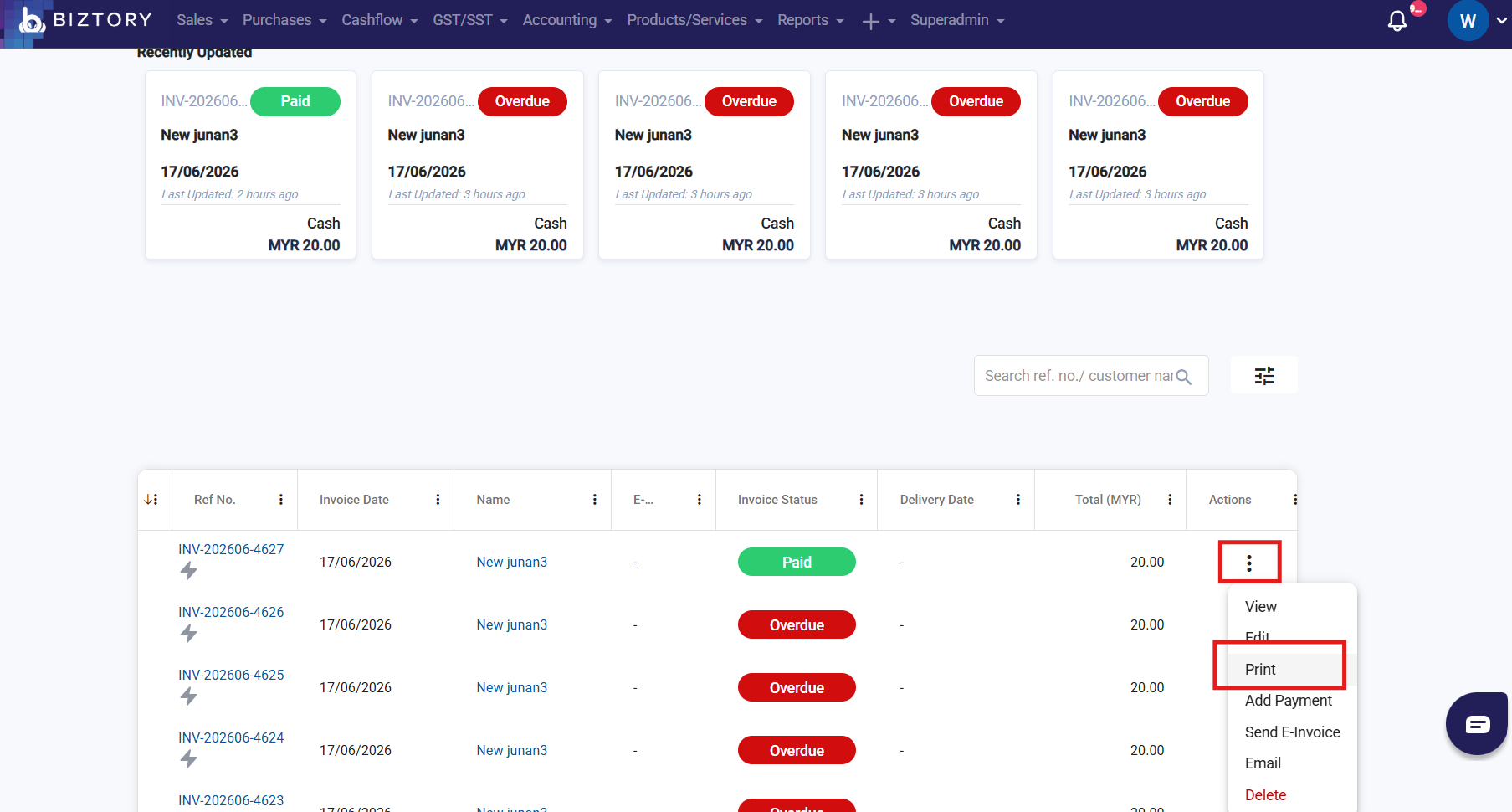
- Go to any Sales Invoice > Click "3 dots" > Click "Print"
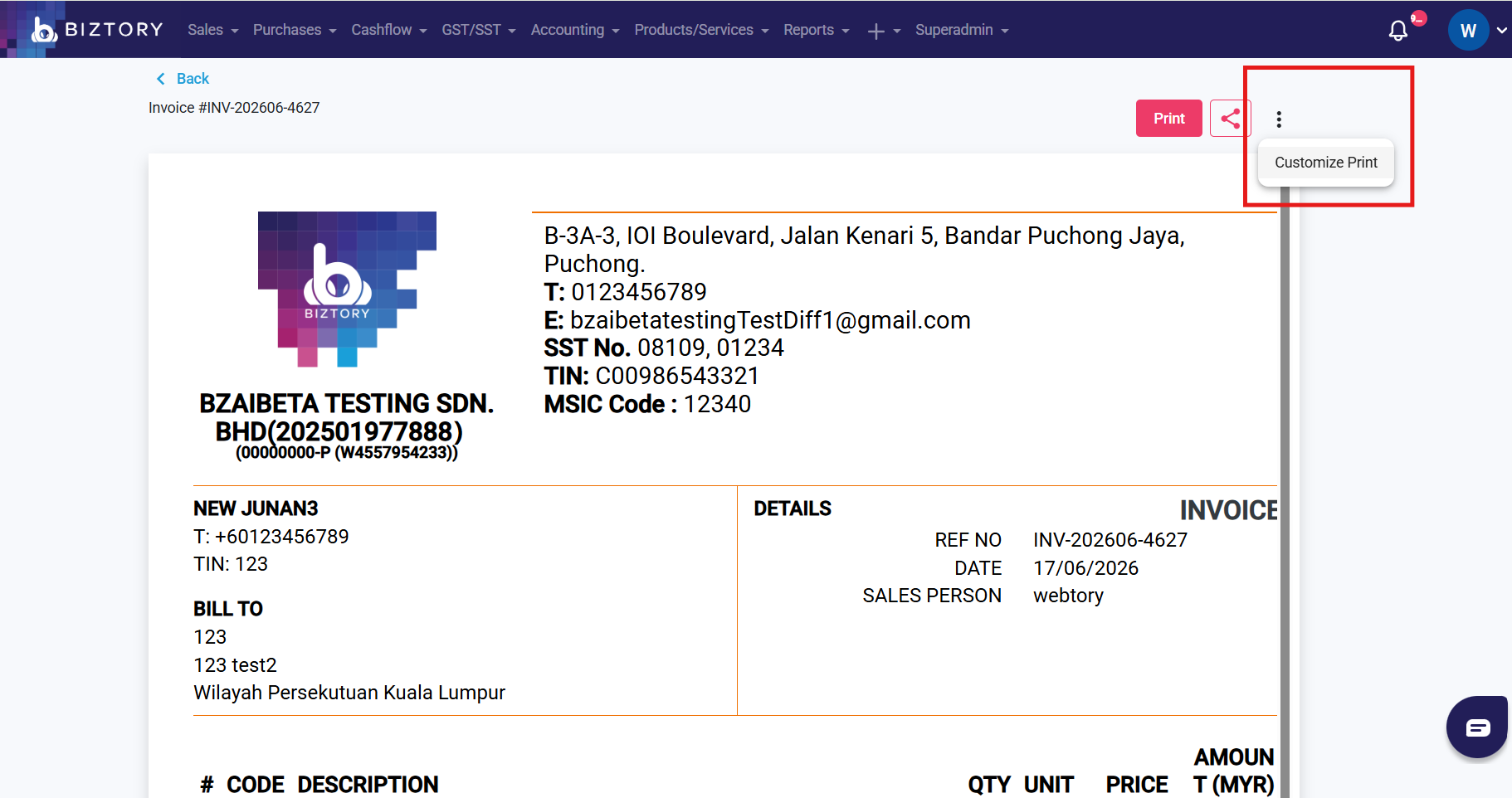
- Click "3 dots" > Click " Customize Print"
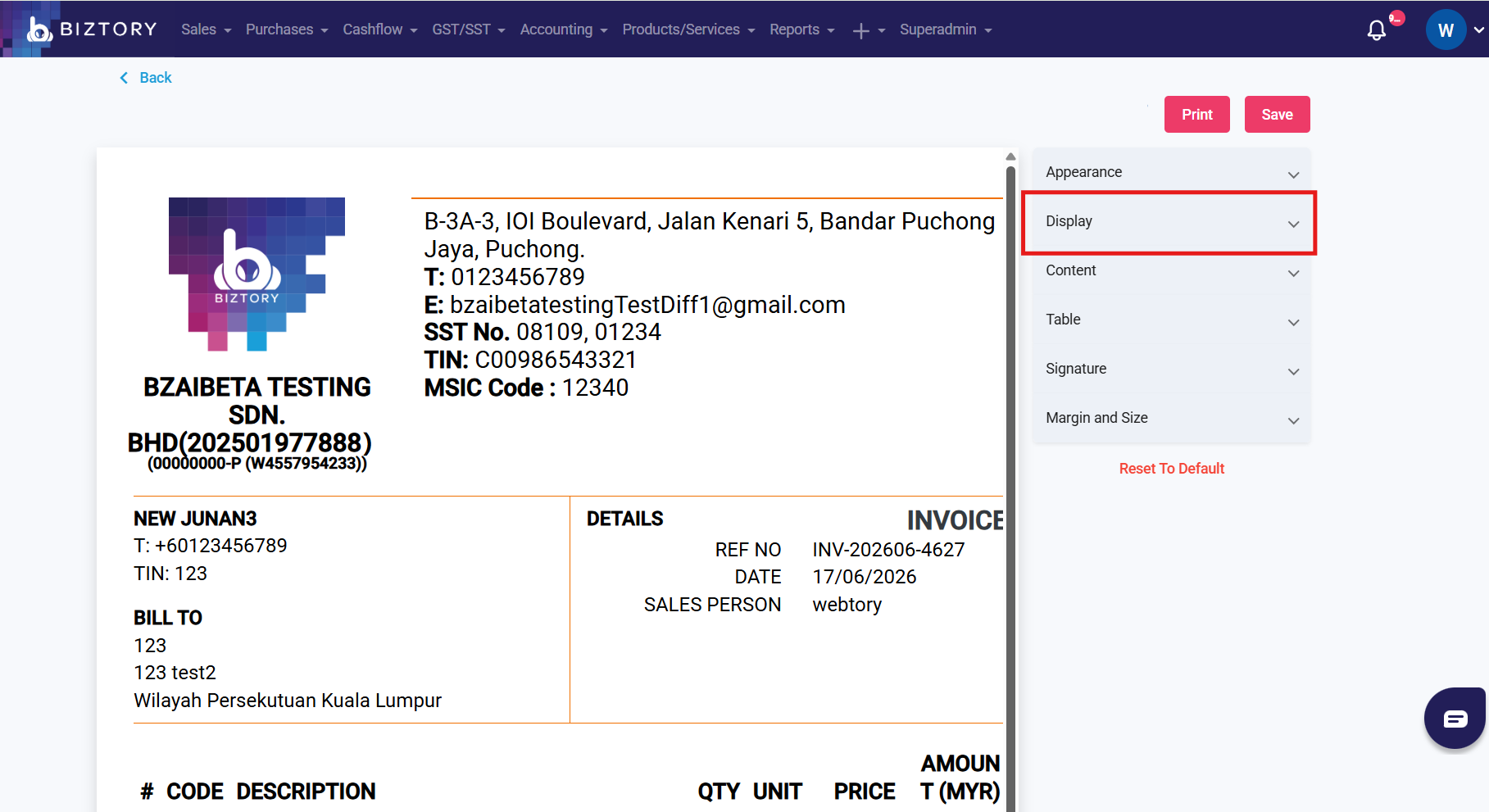
- Click "Display"
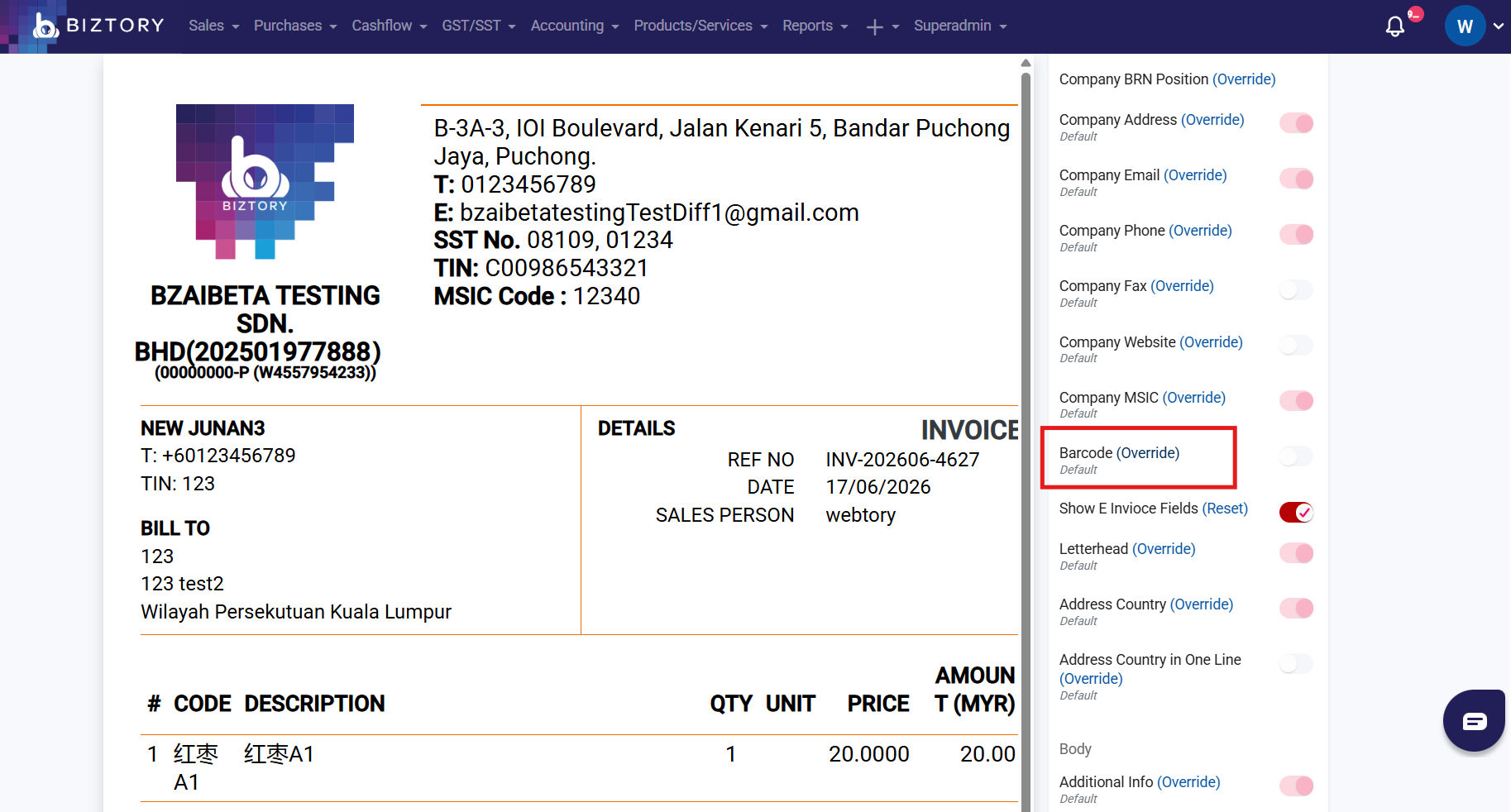
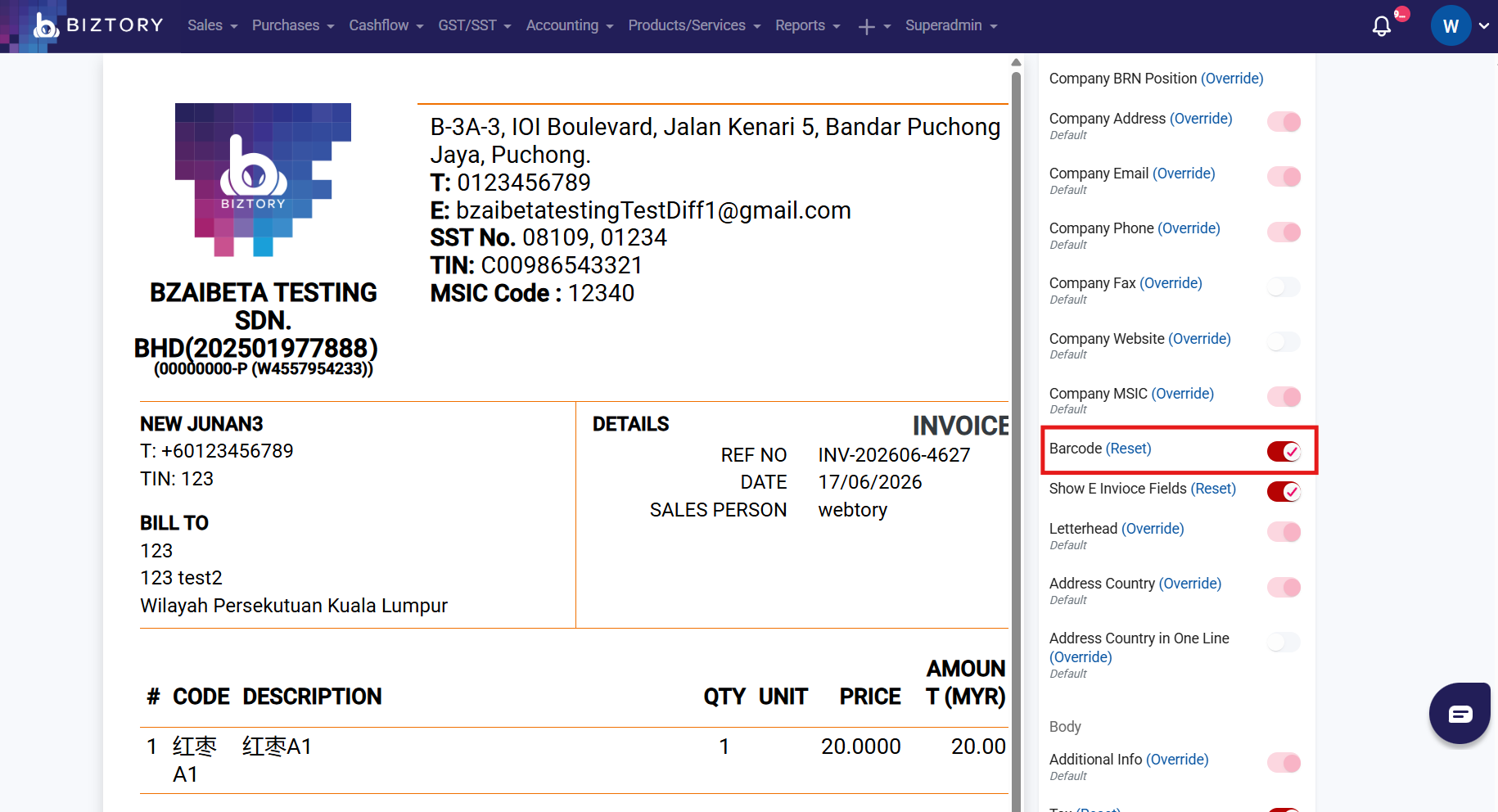
- Find Barcode, click "Override" and enable the Barcode
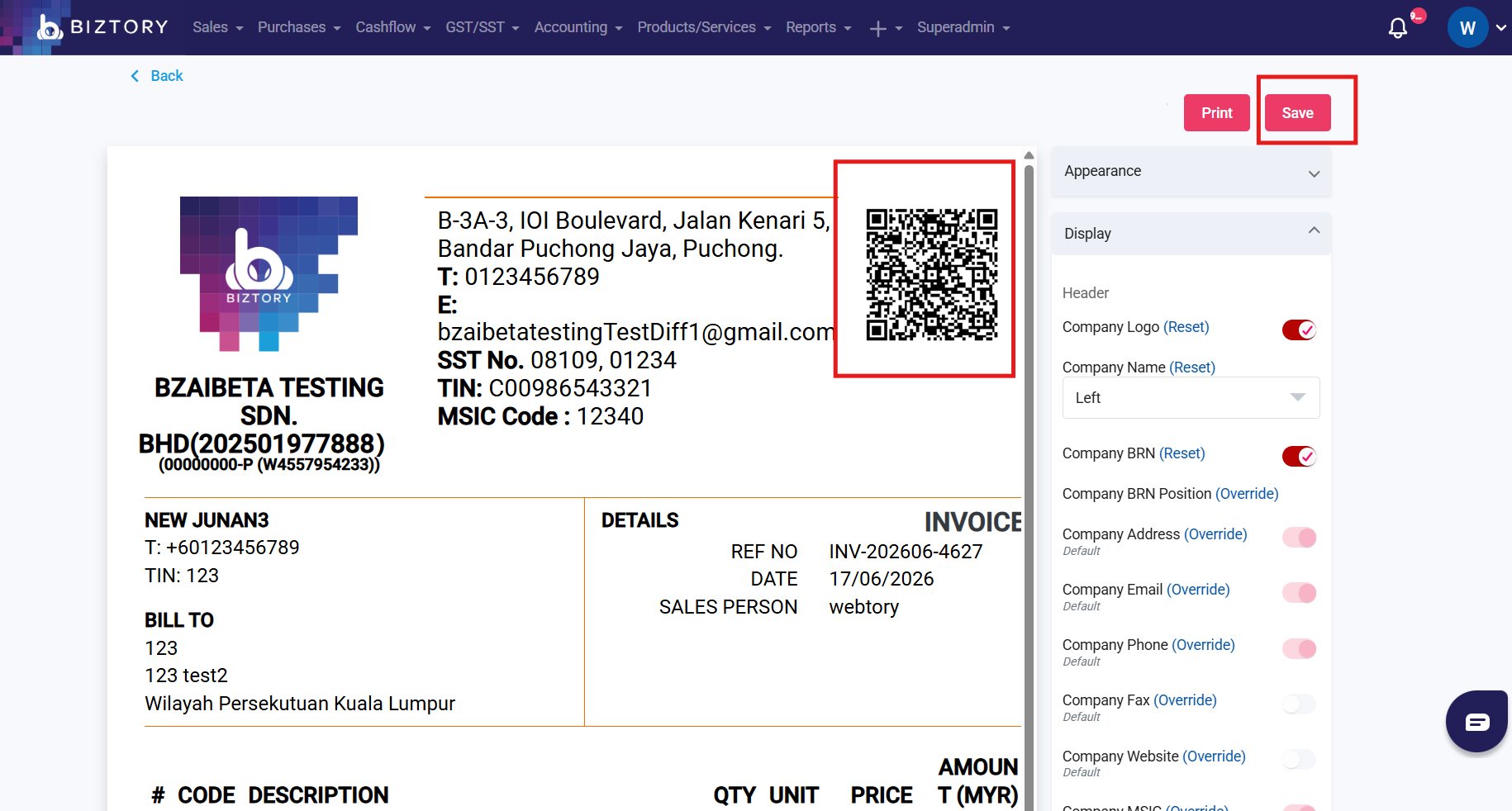
- Wait for the system to finish processing until the QR code is displayed on the Sales Invoice preview page, then click “Save”.
Was this article helpful?
That’s Great!
Thank you for your feedback
Sorry! We couldn't be helpful
Thank you for your feedback
Feedback sent
We appreciate your effort and will try to fix the article