Ascending/Descending Sorting Option for Stock Level (New Version)
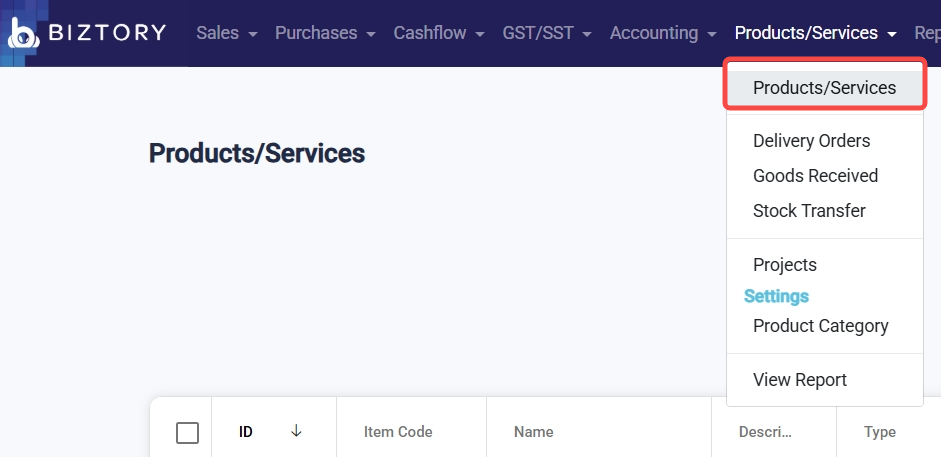
1. Go to Products/Services > Products/Services.
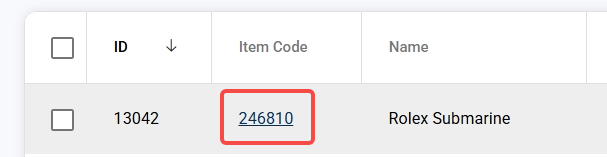
2. Click on the item code.
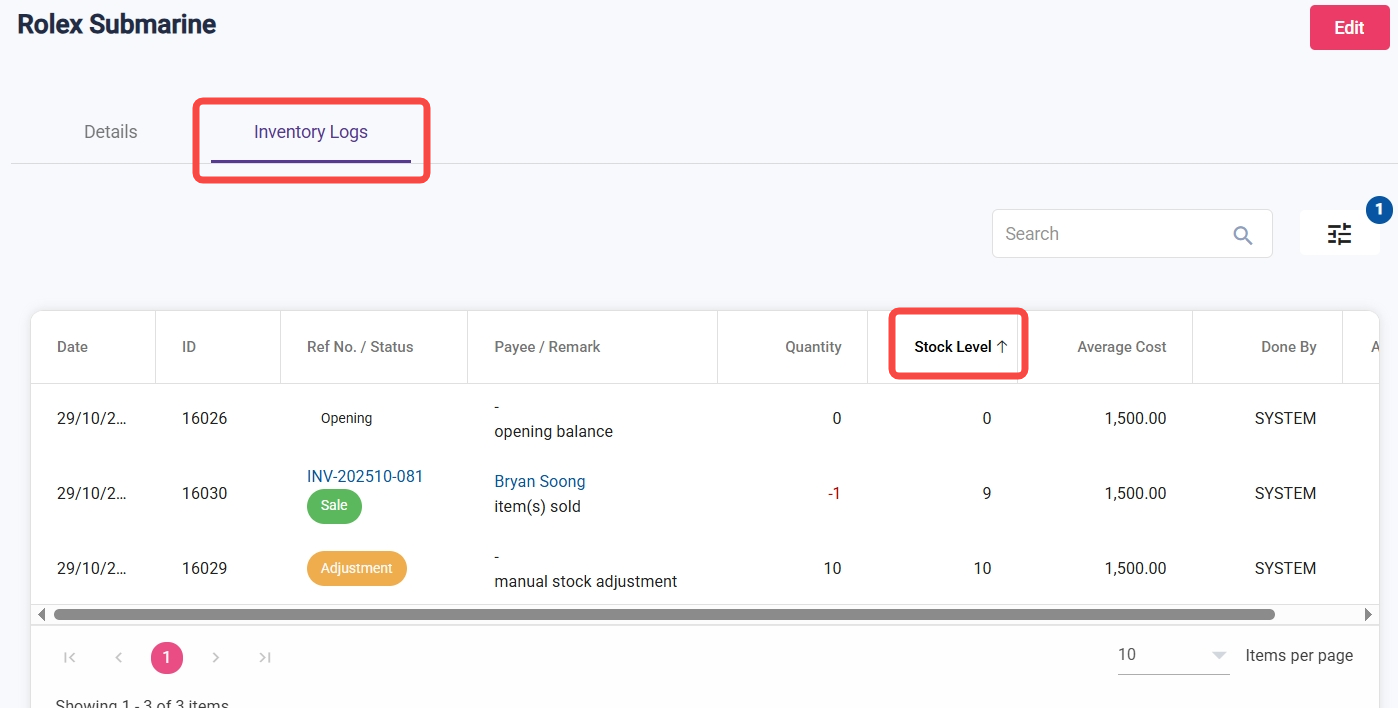
3. Select 'Inventory Logs' and then click 'Stock Level' to sort in ascending or descending order.
Was this article helpful?
That’s Great!
Thank you for your feedback
Sorry! We couldn't be helpful
Thank you for your feedback
Feedback sent
We appreciate your effort and will try to fix the article