When customer has exceeded the limit, system will block them way from creating new invoice, the solution for this is to enable
'Customer Credit Limit' in Settings.
'Customer Credit Limit' in Settings.
1. Click on the top-right user profile, select 'Company' tab, select 'Settings'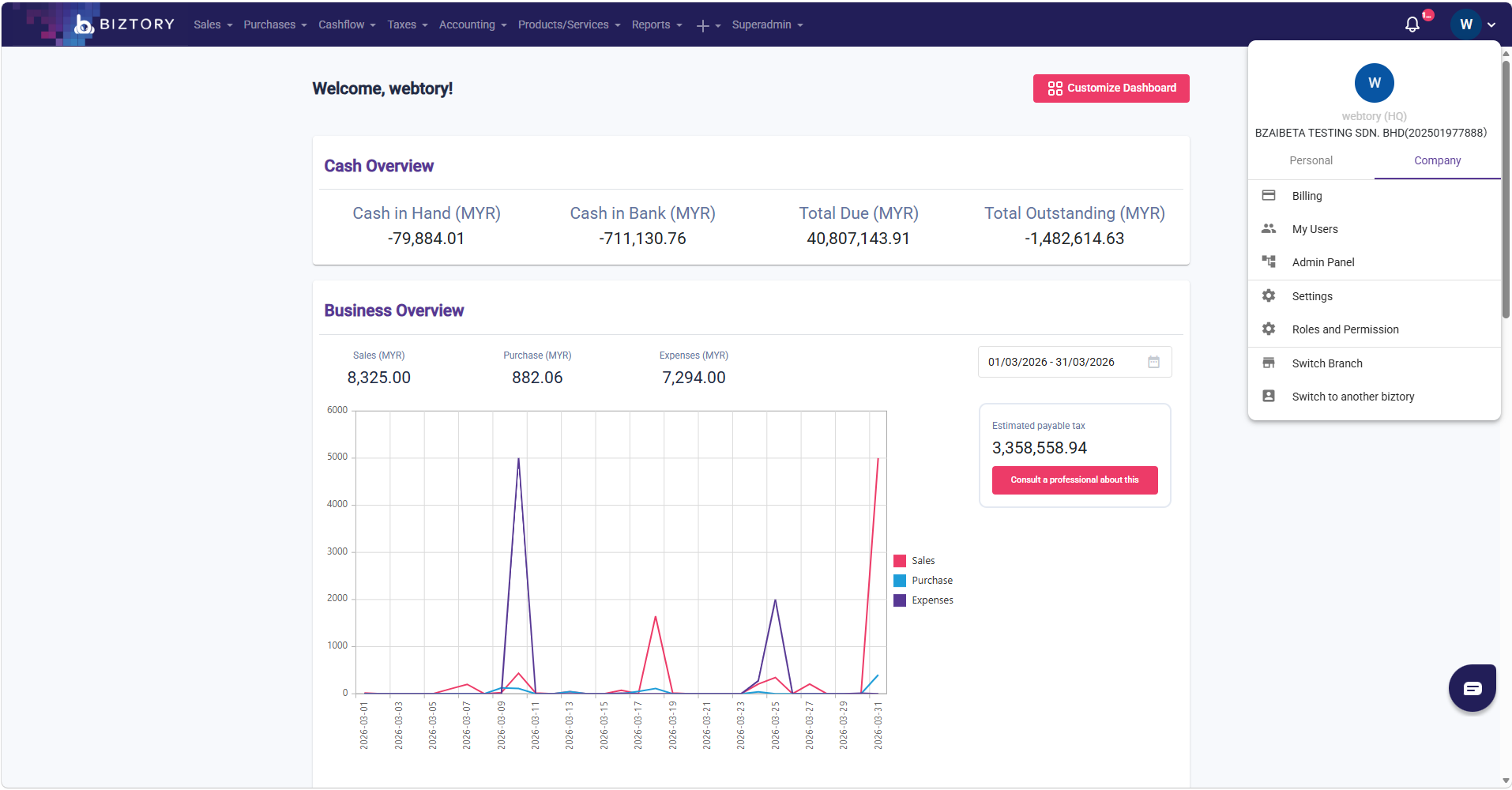
2. Find and click on 'Customer' tab in the list of Settings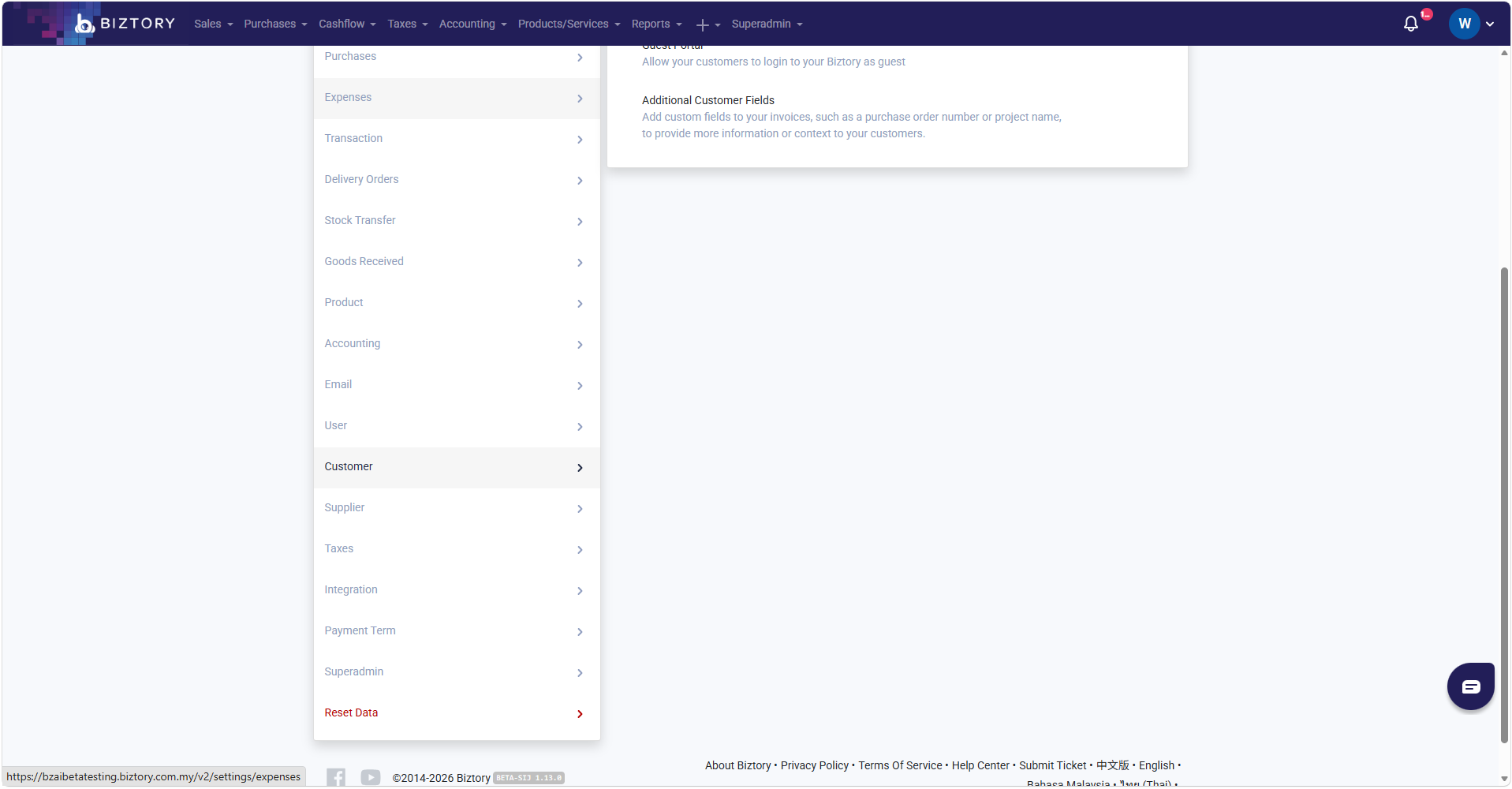
3. Select 'Customer Format'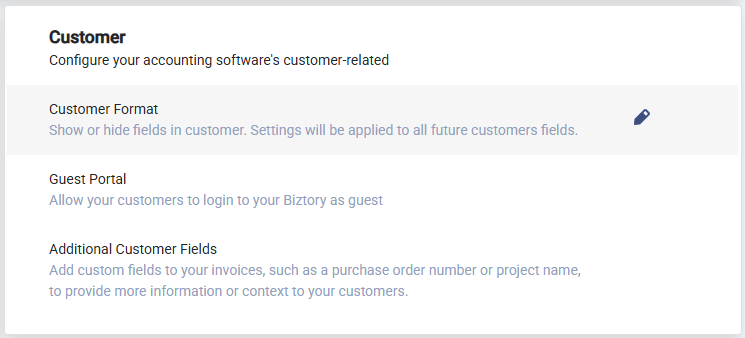
4.Within 'Customer Format' panel, turn on the toggle of 'Customer Credit Limit'.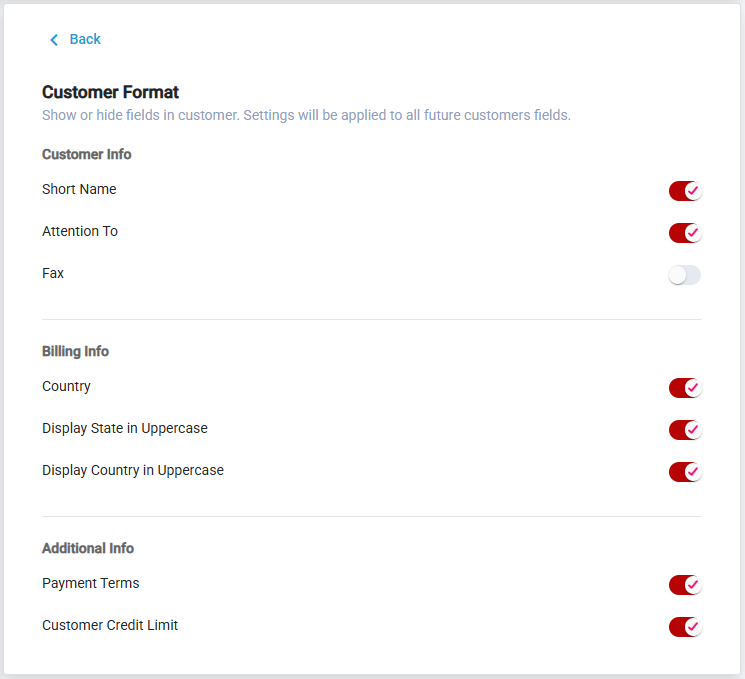
Was this article helpful?
That’s Great!
Thank you for your feedback
Sorry! We couldn't be helpful
Thank you for your feedback
Feedback sent
We appreciate your effort and will try to fix the article